📌 Weekly Structure (applies every week)
- Content Release: Mondays @ 11 AM(Tues @ 11 AM if holiday week).
- Deadlines: All assignments due Mon @ noon (or Tue when no Monday class)
- ZOOM : Optional. Monday review + critique (recorded). If no Monday class → prerecorded review + Wed @ noon live session.
- Critiques:
- Regular weeks: Mon @ noon → Wed @ noon
- No Monday class: Tue @ noon → Thu @ noon
- Use discussion board if not in ZOOM
- Remote Office Hours: Wednesdays, 11AM–1PM → Schedule Here
Week 12 Links & Notes
Live Sessions This Week:
👉 Join Live: Mon 4.6 @ noon(week 12 review)→ 🎥 [Join Here]
Will be recorded for those unable to attend live.
🎥 Watch: Mon 4.6 Weekly Review Recording → [Watch Here] includes p2 event website guidance @ end
Looking Ahead (Week 13)
Next live (recorded) session: Mon Apr 13th @ noon
week’s deadlines
Monday, Apr 13th @ noon
- P2 Adobe XD Prototype (desktop or mobile). Set up your lo-fi/mid-fidelity prototype in Adobe XD using sketches or Illustrator. Link to your P2 Story on Medium.
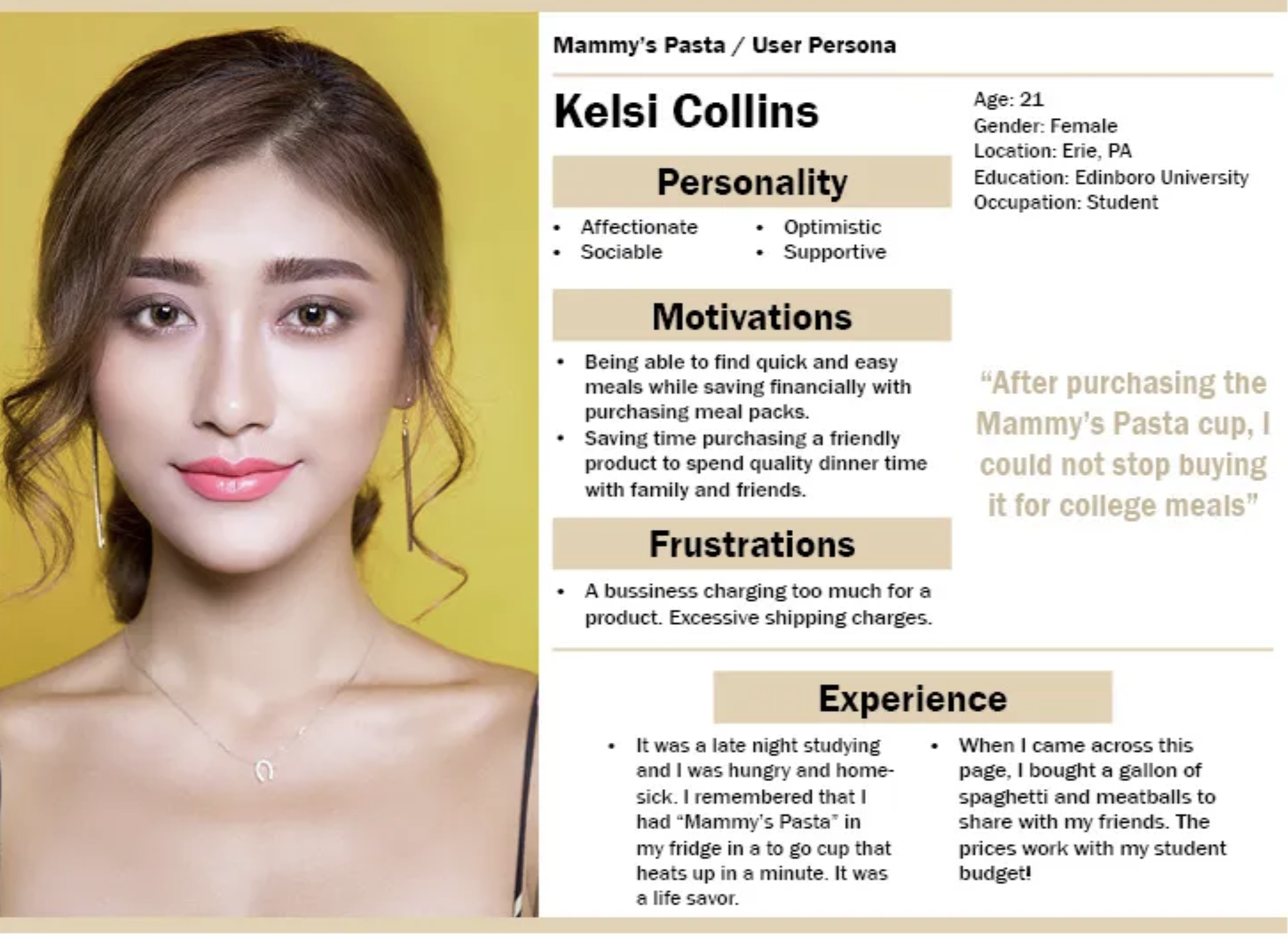
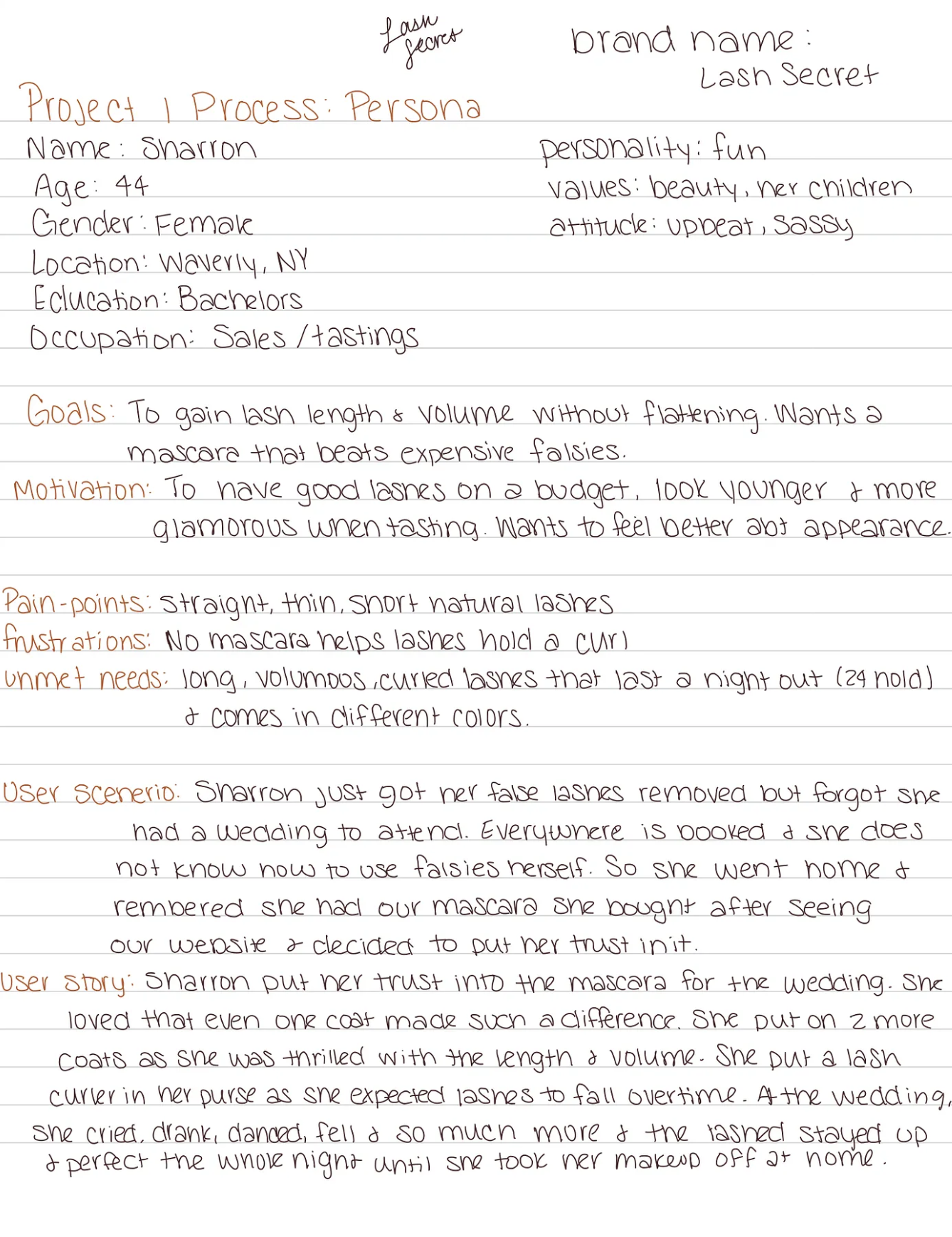
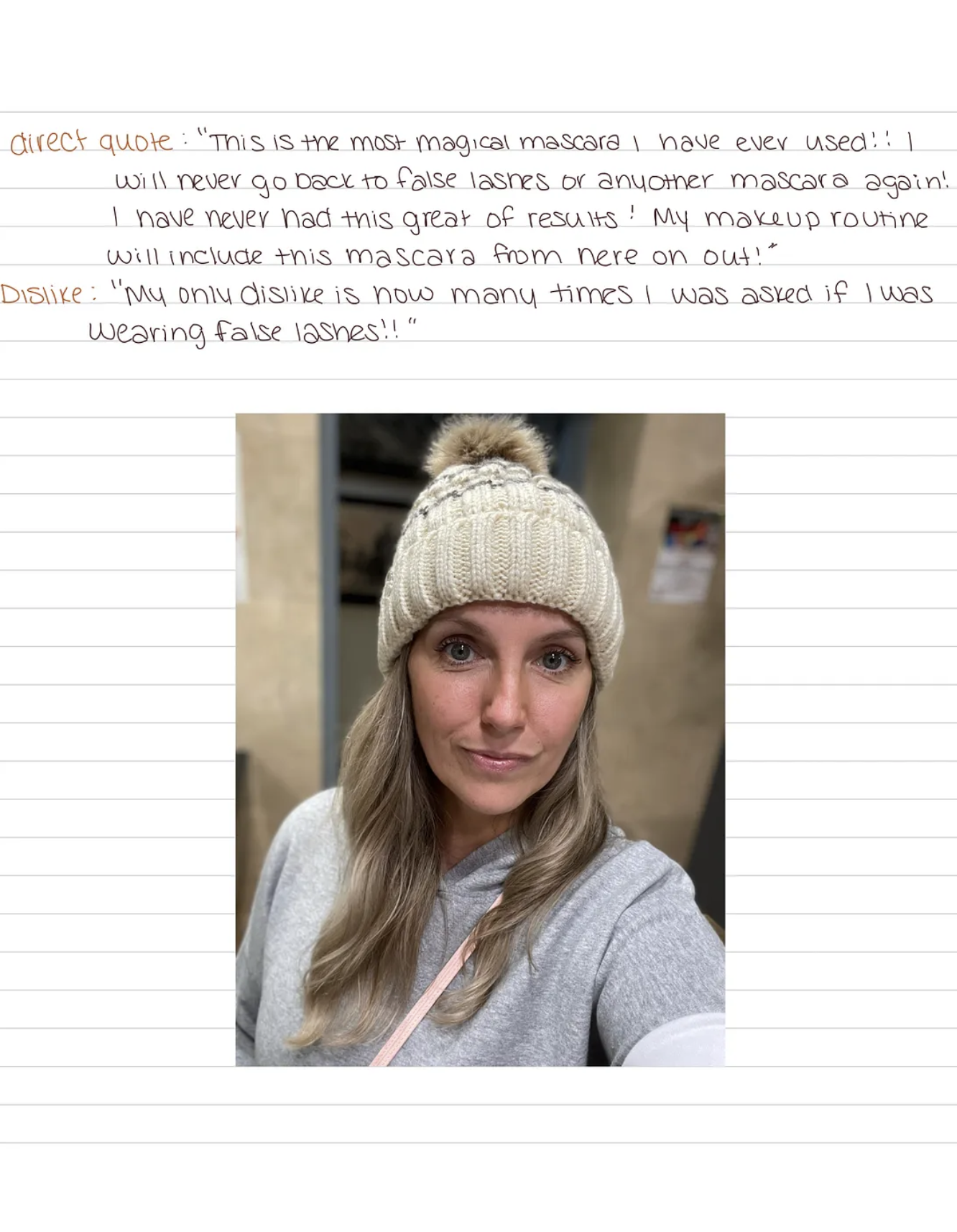
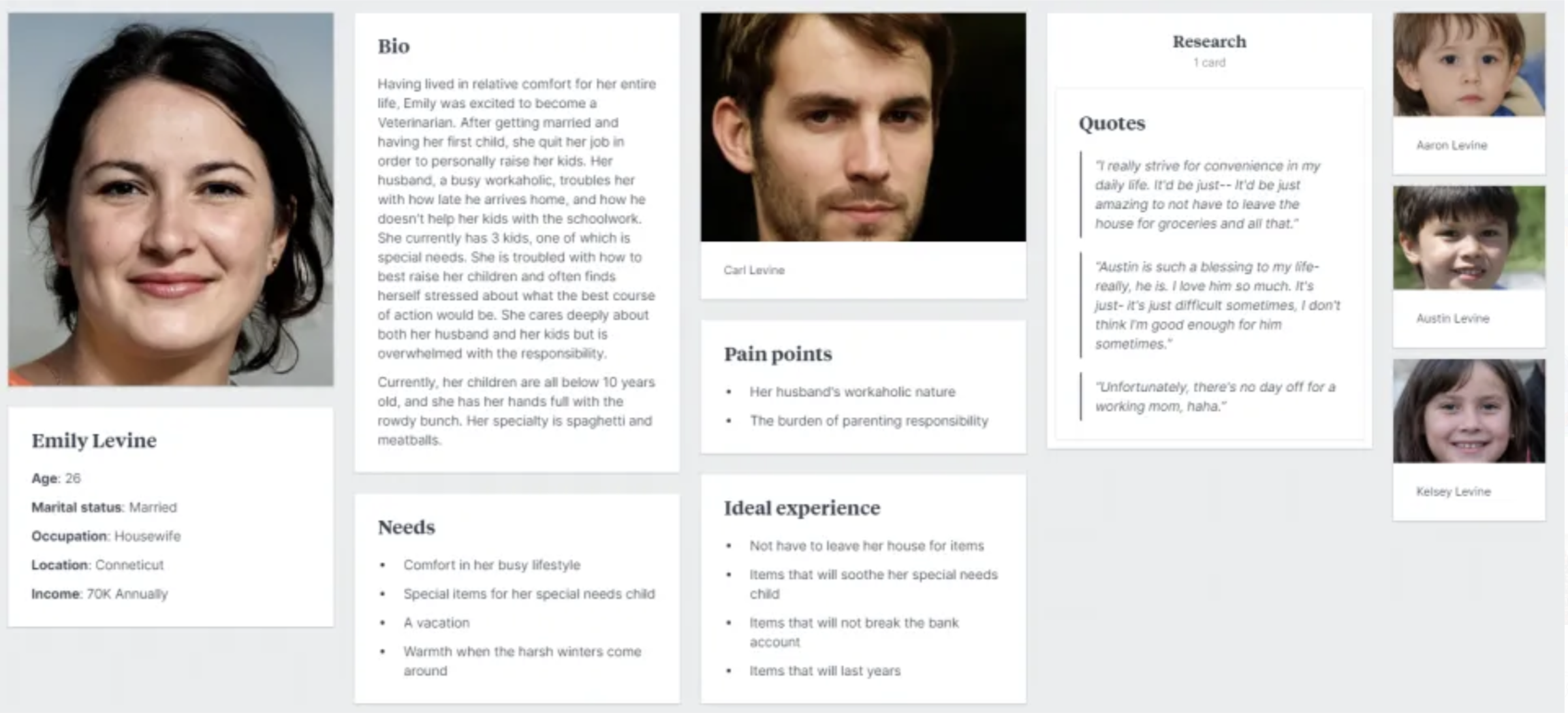
- P2 Process: Persona to Medium.
- P2 Process: 2 style tiles to Medium and S26_Project2_DesignProcess
For next Wednesday: - Post 3 changes you plan to make from user testing feedback to Medium.
Last week, we began Project 2 and finished Project 1
Next week, we continue with Project 2 homepage/subpage designs.
Late work reminder:
– Final submission cutoff: No work will be accepted after Fri, May 1 @ 11:59 PM.
– Any late assignment submitted on May 2nd or later will receive a zero (0).
Weekly Content
Week 12 (All items need to be complete by Monday):
SECTION I – Interactions
- Discuss Transitions, Transforms, & Filters (videos – 30m)
- Review CSS + Animation Resources
SECTION II – Project 2 - Continue Project 2: Event Website
- Review Project 2 Timeline
- Due Mon. P2 Process: Persona to “P2 Story” to Medium
- Due Mon. Prototype to “P2 Story” to Medium + D2L “P2: Protoyping” Discussion (videos – 3.5m) note: user testing feedback early next week mon-wed- Complete User Testing (3–4 users) note: user testing feedback is due by next Wed @ noon.
- Due Mon. P2 2 Style Tiles to Medium “P1 Story” and S26_Project2_DesignProcess
- Review (optional): Project 1 Revision Opportunity
SECTION III – Webflow, Continued - Continue Webflow training, as needed
SECTION I – Web Concepts
1. Transitions/Tranforms/Filters
2. CSS+Motion Resources:
- CSS Transitions | Try-it Editor
- CSS Transforms | Try-it Editor
- CSS Transforms
- CSS Filters
- CSS Filters | Play-it Editor
- Webflow Image Hovers
- 8 Simple CSS Transitions to WOW your users
- CSS Blending Modes
- CSS Animations
- How Keyframes Work
- CSS Animation for Beginners
- 18 Top CSS Animations
- object-fit Properties
- How to Make a Loader | W3 Schools
- (demo files for Dreamweaver)
SECTION II – assignments
3. Project 2: Event Website
due 5.5
This week, we will continue our final Project 2: Event Website. We will create our person and prototype this week. In the second half of this week, we will move into style tiles for next Monday. Post to new Project 2 story on Medium.
4. Project 2 Timeline:
m4.13 2 style tiles, 1 persona + lo-fi mobile prototype for user testing
w4.15 user testing feedback
m4.20 mobile/tablet/desktop mockups using selected style tile for homepage (3 mockups total + must include logo) – critique; social media kit thumbnails
w4.22 critique feedback; development plan + wireframes (blog 6)
t5.5@midnight Final Project Due Date
Project 2 Process:
- 5. Persona: Research and create a user profile/persona for your target audience, or someone that would be interested in this event. Post to P2 Medium story. Reference Week 6 for Persona Guide
- 6. Project 2: Prototype to P2 Story on Medium.
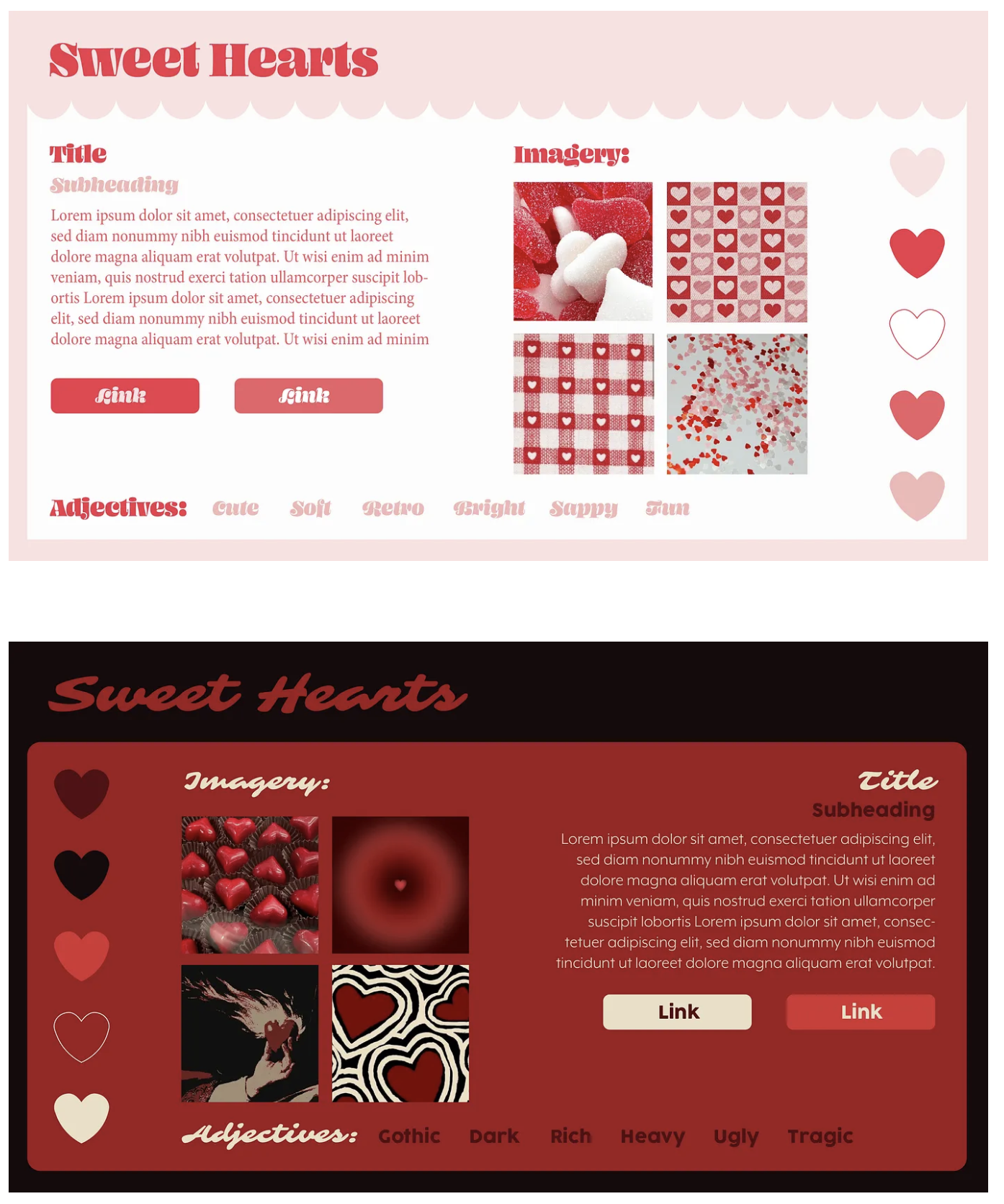
- 7. 2 style tiles to Medium
6. Prototyping:
Your project seeks to convey information about specific content. First, go back to your prototype link on Medium and provide a task for someone to perform (for example, imagine you are trying to follow a recipe, or compare recipes, or search for how to do something).
Assuming you are looking for the type of content the prototype you are reviewing provides, answer the following questions:
- What do you think this website is for? What, if anything, doesn’t make sense here? How would you improve it?
- What was easy or difficult about this task? How would you improve this experience or task?
- Do you feel this website is easy to use? How would you strengthen the overall design to support users looking for this type of content?
*User Testing Feedback Summary: Read through all of your feedback and Post 3 changes you plan to make on your link on Medium.
User Testing Resources:
- 31 Questions Every Design Should Ask When Testing Prototypes
- Adobe XD Prototyping Guide, Step-by-step on linking screens, overlays, etc.
8. Project 1 Revision Opportunity (Optional)
Revision Deadline: Thursday, April 30th @midnight
If you’d like to revisit your Project 1 with fresh eyes and new skills, you have the option to revise and resubmit your project to earn up to 6 bonus points on your original grade.
This is not a full re-grade, but a chance to reward thoughtful improvements—especially as you learn more about layout, design, and Webflow animation in the coming weeks.
What you can revise:
- Your Project 1 Webflow site
- Your presentation mockup, if you’ve improved the layout or design
- Your presentation video, if your final ended up too fast or awkward, you can resubmit (keep under 1m)
- You may also add interactions or animations learned later in the semester to elevate your project
What to Submit:
To “P1 Revision Opportunity for Bonus Points” folder on D2L
- Your updated Webflow live site link
- (Optional) Updated mockup and/or updated video presentation
- A short written reflection explaining:
- What you changed
- Why you changed it
- What you learned through the revision process
- This reflection is required to receive bonus points.
| Area | Points | Description |
|---|---|---|
| Layout/Structure Revisions | +.5 to +2 | Improved layout logic, stacking, responsiveness, or content clarity |
| Visual Design Revisions | +0.5 to +1 | Stronger typography, spacing, color choices, or overall hierarchy |
| Updated Mockup or Planning Assets | +0.5 to +1 | Revised mockup to reflect improved design and structure |
| New Animation or Interaction Enhancements | +0.5 to +2 | Thoughtful use of transitions, hovers, or scroll effects that enhance usability or storytelling |
Important: Earning the full +6 points requires substantial, thoughtful revision across multiple areas. Small or surface-level changes will not receive the maximum bonus.
SECTION III – technical
9. Webflow, continued
For additional help beyond this week’s demos, I recommend watching Webflow Training here. Putting in the time to learn this tool now will drastically speed up P2 development in the final weeks of the term.
Download the Webflow handout to take notes while watching the training. Please watch, as needed, the sections: Intro, Web Structure, Element Basics, Components (Navbar ONLY) Styling Basics, Layouts, and Responsive Design. Note: Do not watch Interactions Core Concepts, CMS & Dynamic Content, CMS Collection Fields