📌 Weekly Structure (applies every week)
- Content Release: Mondays @ 11 AM(Tues @ 11 AM if holiday week).
- Deadlines: All assignments due Mon @ noon (or Tue when no Monday class)
- ZOOM : Optional. Monday review + critique (recorded). If no Monday class → prerecorded review + Wed @ noon live session.
- Critiques:
- Regular weeks: Mon @ noon → Wed @ noon
- No Monday class: Tue @ noon → Thu @ noon
- Use discussion board if not in ZOOM
- Remote Office Hours: Wednesdays, 11AM–1PM → Schedule Here
Week 5 Links & Notes
Live Sessions This Week:
👉 Join Live: Mon 2.16 @ NOON (week 5 review)→ 🎥 [Join Here]
Will be recorded for those unable to attend live.
🎥 Watch: Mon 2.16 Weekly Review Recording → [Watch Here]
Looking Ahead (Week 6)
Next live (recorded) session: Mon Feb 23rd @ noon
This week’s deadlines:
Monday, Feb 23rd @ noon
- Email Cass your Medium link if you haven’t yet set it up.
- Turn in Warmup 4 via D2L. Due last Monday, but extended to Feb 23rd at noon.
- P1 Process: (post all process working to “Project 1” story on Mediun
– Theme selection: Determine what kind of content will go on your website. Refer to this article to inform your initial ideation. Consider the content that will go on the homepage. You will expound on this in Blog 2.
– 2 Mind Maps (on 2 different content choices)
– 18 refined layout sketches (6 mobile/6 tablet/6 desktop) – (on 1 narrowed content choice)
– 2 mood boards (on 1 narrowed content choice) and post to same Medium post for Project 1 (resource: one page love)
due March 2nd
- Blog 2: Selecting and Analyzing Your Website’s Content – post to D2L “Blog 3” Discussion Board. If you post to Medium, please upload link to D2L.
Last week, we completed Exercise – Menu, and Warmup 4.
Next week, we will continue with Project 1 personas, prototypes, and style tiles.
Weekly Content
Week 5 (All items need to be completed by end of week):
- Lecture: Background Images (videos – 36m30s)
- Review Background Images Resources
- Lecture: Designing the Web (videos – 56m53s)
- Review Designing the Web Resources
- Read Chapter 18 & pp.407–416 in Duckett’s HTML & CSS. (Be sure you are caught up on Ch 1, 2, 3, 4, 5, 10, 11, 12, 13, pp.183–188 & pp.431–440)
SECTION II – Project 1 + Blog 2 - Begin Project 1: Typographic Storytelling (Monday Zoom)
- Due Mon. Project 1 Process: 2 Mind Maps + 18 Thumbnails + 2 Mood Boards– photograph and post to Medium “Project 1” Story. Determine what kind of content will go on your website. Refer to this article to inform your initial ideation. Consider the content that will go on the homepage. I also suggest doing a brainstorm session on “name of your site” ideas. Due: 18 refined layout sketches (6 mobile/6 tablet/6 desktop) + identity sketches (to Project 1 Medium Story) – photograph + 2 mood boards and post to same Medium post for Project 1
- Begin Blog #2 on D2L (or upload Medium link to D2L) – due 3.2
SECTION I – Web Concepts
1. Background Images
Demo Files:
https://web.cassreese.com/wp-content/uploads/2024/02/image_insertion_exercise.zip
Class9_BgImgs2. Background Image Resources
- bg images on <body>
- bg images on <p>
- background-image | Tryit Editor
- background-repeat
- background-attachment
- background-attachment | Tryit Editor 1 w3schools.com
- background-attachment |Tryit Editor 2 w3schools.com
- background-size
- background-position
- background-position | Playit w3schools.com
- background-position and percentages
- background-size | Tryit Editor w3schools.com
- multiple background images | Tryit Editor w3schools.com
- TinyPNG | image compressor
- Optimizilla | image compressor
3. Designing the Web
4. Designing the Web Resources:
- One Page Love
- Asymmetrical design: Creating beautiful, balanced layouts
- The designer’s guide to grid theory
- A brief history of grids
- The Elements of UX | by Jesse James Garrett
- UX Design.cc – Curated articles and case studies on UX/UI best practices.
- Whitespace in Web Design
- Collect UI | A collection of beautiful UI shots from Dribbble, categorized for easy browsing
- Landbook | A collection of high-quality landing page designs for inspiration.
- Photoshop Etiquette | A Guide to Discernable Web Design
- TypeWolf | Typography Inspiration
- CSS Nectar, Admire the Web, Best Website Gallery, | Web Design Inspiration
- Jen Simmons | web design experiments (for inspiration)
SECTION II – assignments
We will introduce this during our Monday Weekly Review (view review video above for details)
6. Project 1: Typographic Storytelling – due: 3.17
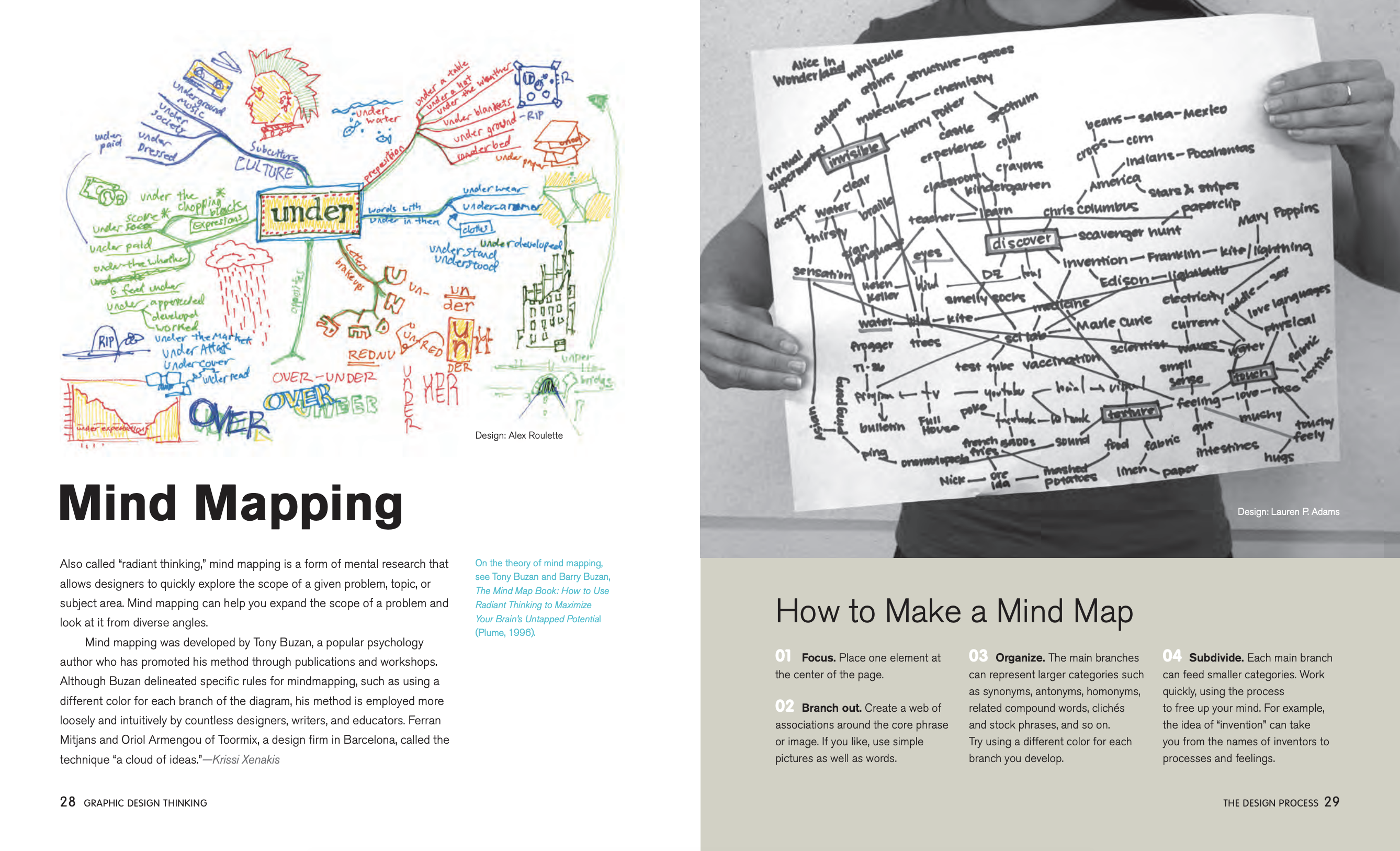
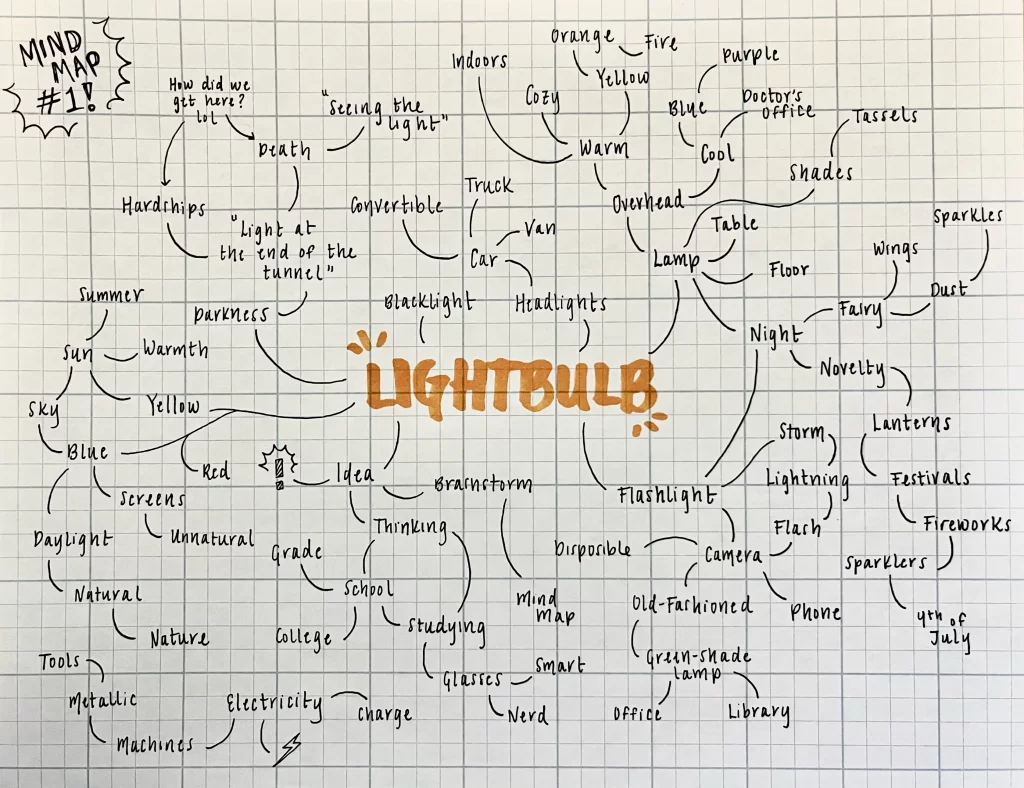
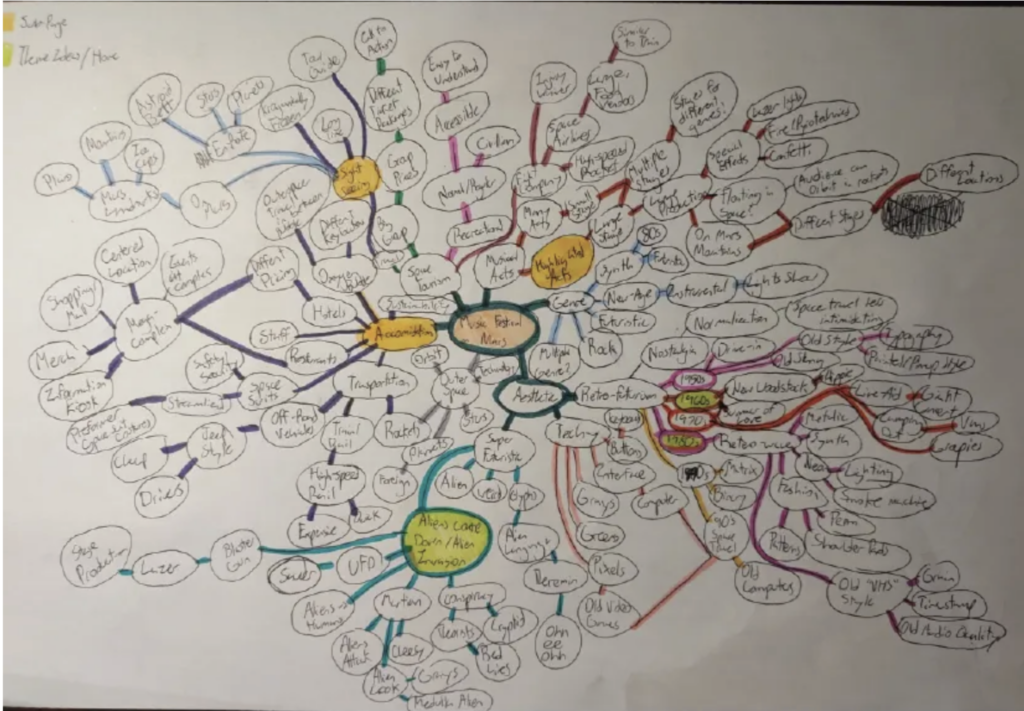
7. P1 Process – 2 Mind Maps: Explore 2 different potential content directions* by creating a mind map for each. Post images directly in Medium post. *Include a photograph of each mind map
2 Mood Boards (on 1 narrowed content choice) and post to same Medium post for Project 1 (resource: one page love)—remember to include typography and keywords!


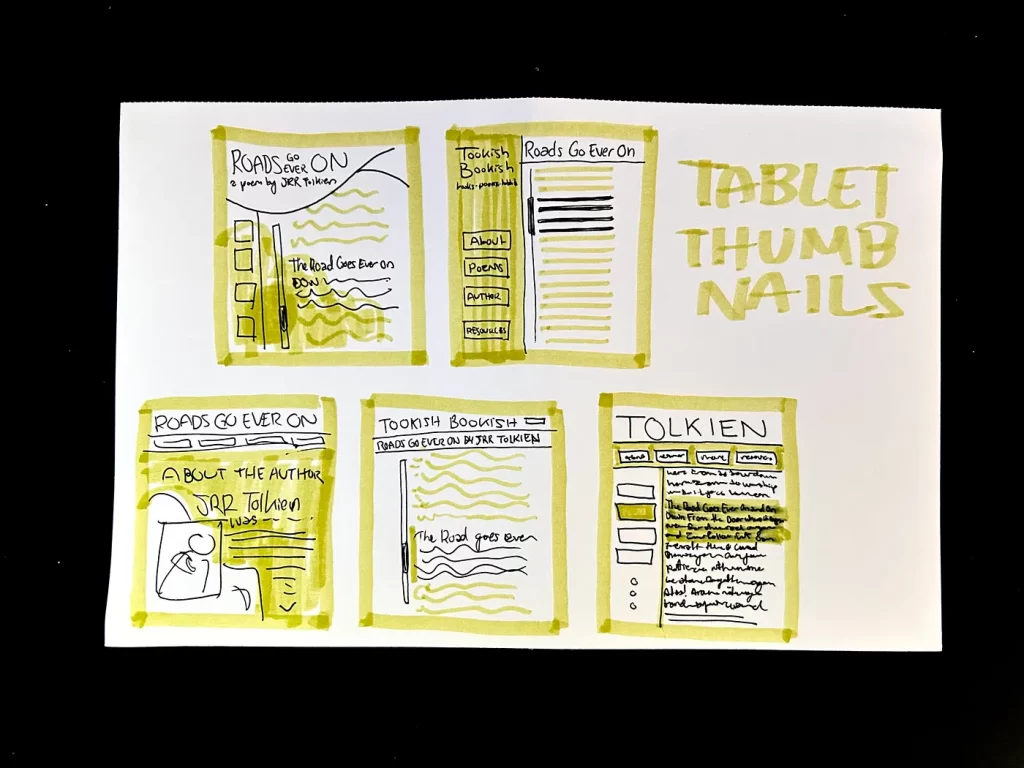
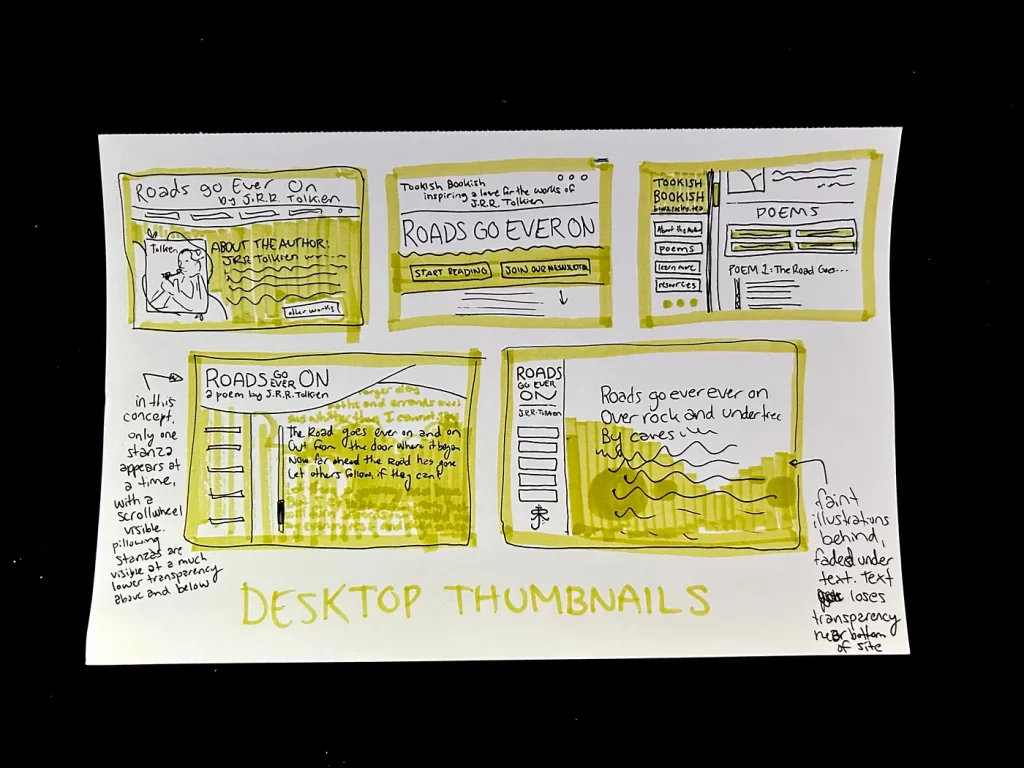
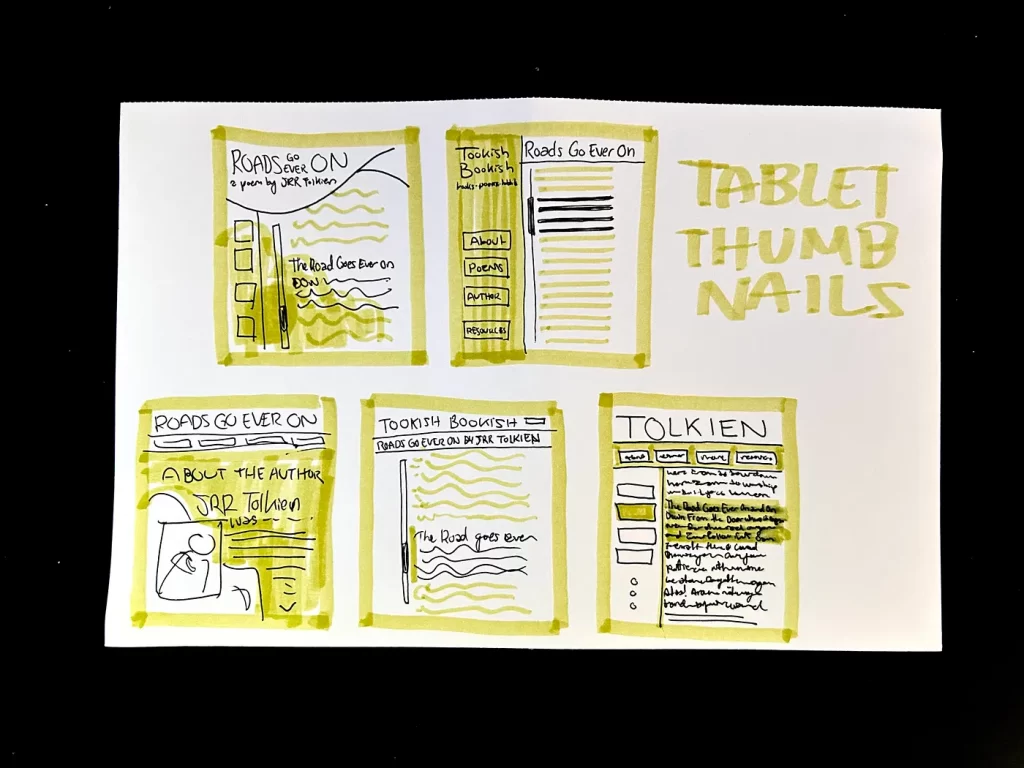
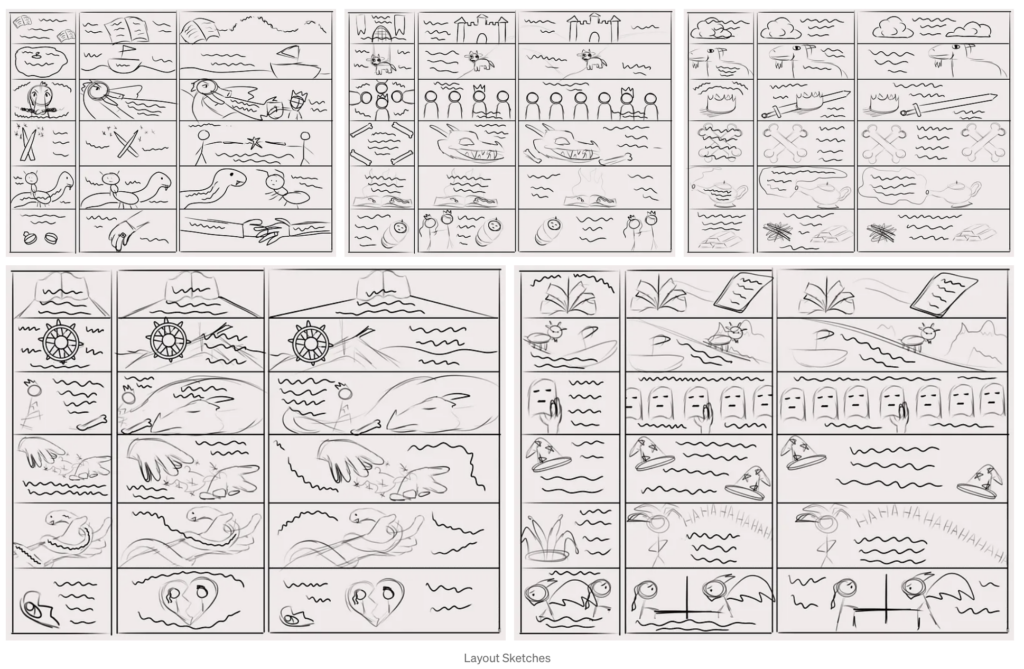
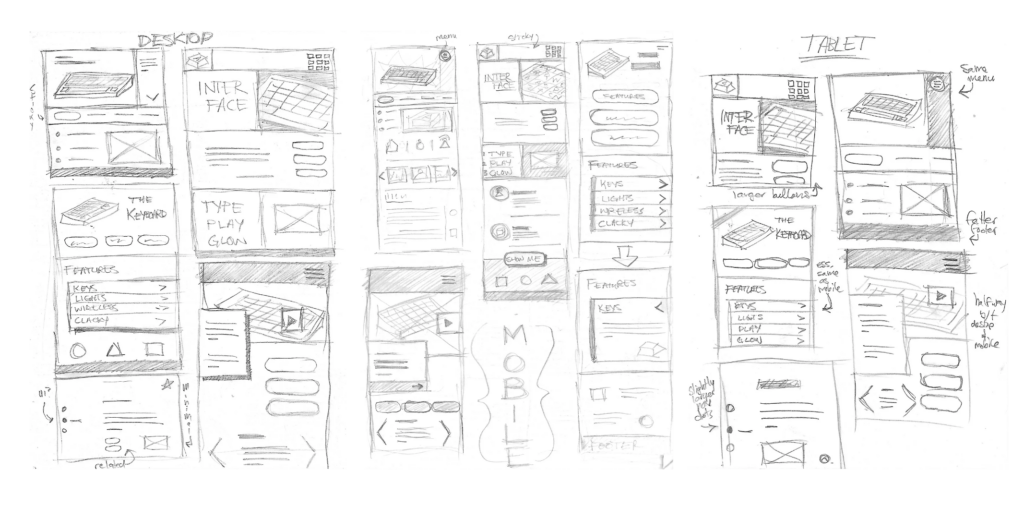
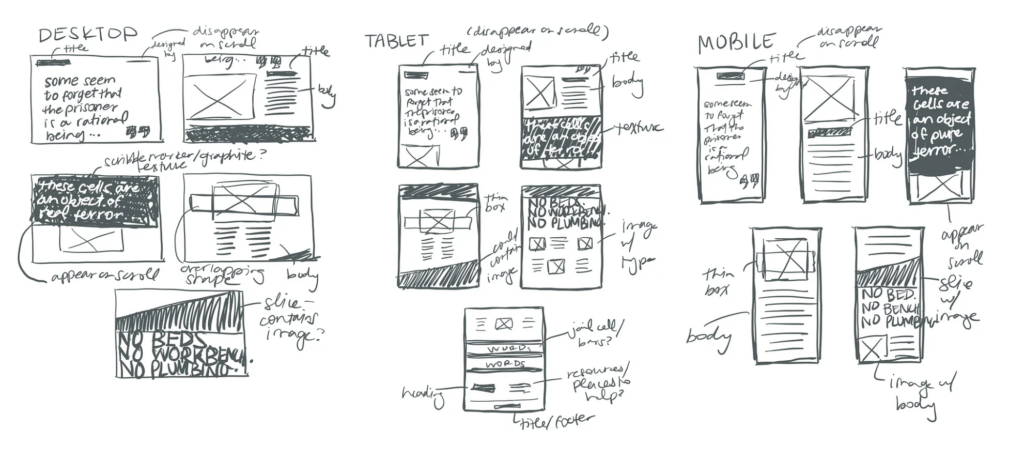
18 Thumbnails: Draw 18 thumbnail sketches (6 desktop, 6 tablet, 6 mobile)
33 Examples of Website Sketches
“The right idea is often the opposite of the obvious.”
—Alex F. Osborn
Mind Mapping
Project 1 Timeline:
m2.23 week 6 18 thumbs (6 mobile/6 tablet/6 desktop) + 2 mood boards (visual research) + 2 mind maps
m3.2 week 7 2 style tiles + 1 persona + storyboard + lo-fi mobile prototype for User Testing
m3.16 week 8 mobile/tablet/desktop mockups (3 mockups total + must include logo) using selected style tile for homepage + development plan + wireframes
w3.23 peer critique feedback due @ noon on d2l “project 1 – mockups” discussion board + begin development
m3.30week 9 revised homepage mockup designs + continue development
m4.6week 10Final Project Due Date
Examples:
- Yorgos Lanthimos
- onepagelove.com/tag/storytelling
- onepagelove.com/the-haircut
- onepagelove.com/the-pitch
- onepagelove.com/the-story-of-dovetail-and-afterpay
- ernesthemingway.tilda.ws
- cats-louis.ru/en
- paulfurey.com
- chizzy.singula.teampistola.in
- atlas-bespoke.com
- ikilledacactus.com
- ripeplanet.com
- whereispoland.com
- aftermetoo.com
- react.gg
- sbs.com.au/theboat
- Past student examples:
- Roswell Butina
- Paige Crawley
- Sarah Mullarkey
- Roan Wilkins
- Grace Turk
- Jacob Sukhenko
- Aaron Ly
- Braden McCormick
8. Blog 2
10 pts – due March 2nd
Submit to D2L > Blog 2
We will introduce this during our Monday Weekly Review (view review video above for details)
As we begin Project 1: Typographic Storytelling, strong web design starts with intentional decisions, not decoration. This blog helps you narrow your project direction, analyze how content behaves on the web, begin thinking like a typographic storyteller, and identify areas that deserve your design attention.
Part 1: Content Direction (3 Points): Begin by narrowing your project focus. Address the following:
- Briefly describe 2 possible content directions for Project 1.
- Identify which direction you are currently leaning toward.
- Explain why this direction has strong potential for typographic storytelling.
Consider: emotion tone, visual opportunities, narrative strength, audience engagement + demonstrate thoughtful selection (not random topic).
Example: If you’re choosing between “The Evolution of Jazz Music” and “Key Speeches That Changed History,” you might select the speeches topic because of its strong emotional tone and rich opportunities for typographic emphasis.
Part 2: Content + Message Analysis (4 Points): Now look more deeply at your chosen direction. Address the following:
- Theme and Tone: What’s the overall theme? What tone should the design convey? (examples: restrained, energetic, contemplative, bold, quiet, etc.)
- Key Messages: Identify 2-3 key messages your viewer should take away.
- Audience Needs and Preferences: Who is the intended audience, and what will they likely need from the experience?
Consider: reading behavior, attention span, emotional expectations, clarity needs. The goal is to show you are designing for someone, not just styling a page.
Example: For “Key Speeches That Changed History,” focusing on Martin Luther King Jr.’s “I Have a Dream” speech, the theme centers on equality and justice. An inspirational, purposeful tone would be appropriate. Key messages might include the power of peaceful protest and the enduring relevance of King’s words. The audience could include students, educators, and readers interested in civil rights history.
Part 3: Early Design Intent (2 Points): Based on your analysis, begin thinking visually. Address the following:
- Typography: What kind of typographic voice might support this content? (not specific fonts yet… think qualities)
- Imagery: What role do you expect imagery to play? Consider dominant vs. restrained, atmospheric vs. informational, supportive vs. primary storyteller
- Design Attention Area: Identify one area you expect will require the most design care, such as: managing text density, balancing image + type, creating hierarchy, controlling white space, pacing the reading experience
Example: For the “I Have a Dream” speech, you might explore a strong, confident typographic voice to reflect the speech’s impact. Imagery could be used selectively to support key moments, while layout pacing could help emphasize important quotes.
Part 4: Web Inspiration Scan (1 Point): Visit OnePageLove.com and select one site that demonstrates strong typographic storytelling. In one focused paragraph, discuss:
- How text and imagery are balanced
- Whether imagery feels dominant or restrained
- How white space is used to control pacing
- Where hierarchy is especially clear (or unclear)
Focus on what the designer is doing intentionally, not whether you simply “like” the design. Goal: Strengthen your critical eye as you begin Project 1.
Note: The examples above model the level of thinking expected. Your topic and visual direction should be your own.
Content Direction – 3 pts
- 3 pts: Two viable ideas + strong rationale + intentional thinking
- 2 pts: Ideas present but rationale underdeveloped
- 1 pt: Minimal or unclear direction
- 0 pts: Missing or off-task
Content & Message Analysis – 4 pts
- 4 pts: Theme, tone, messages, and audience clearly articulated with insight
- 3 pts: Mostly clear but somewhat surface-level
- 2 pts: Limited depth or missing one element
- 1 pt: Minimal analysis
- 0 pts: Missing
Early Design Intent – 2 pts
- 2 pts: Thoughtful visual anticipation and clear design awareness
- 1 pt: General or surface-level thinking
- 0 pts: Missing or unclear
Web Inspiration Scan – 1 pt
- 0 pts: Vague, opinion-based, or missing
- 1 pt: Specific, design-focused observation of selected site